Showing posts with label Photoshop. Show all posts

Thursday, 21 February 2013

Finishing Touches

My video never happened. It wasn't for want of trying. I had a really good idea for it and was working on it. I even learnt how to animate in Photoshop but for some reason, my video editing software was having none of it and I after I had spent a fair amount of time putting it all together . . . it refused to publish. I don't think it liked me using Photoshop to make the animations so I don't think I'll be doing that again. I did however have some montages that I was really happy with.

After we had out final reviews, I started altering and improving stuff for portfolio. The main thing bought up in my review was that I needed to either integrate my precedents into my design work or refer back to them. This made more sense and made my project flow better I think. 

It was also suggested that I made my site plans clearer by indicating which part of the site was below ground and which was above so that it was easier to read. This was simple enough to do. 

As well as Photoshopping all my technical drawings, I made a third detail drawing showing how I would deal with the regular flooding on the site - shutting the building down completely while the waters were at a dangerous level as most of the site, if not all of it, would be underwater. I seal the building off by using shutters over the folding doors of the main club space and the doors of the changing rooms and conference centre. 

Friday, 18 January 2013

Getting There

Last week, I said no more AutoCAD . . . . . . I spent 12 hours on it yesterday and another good couple today. Not to mention the time early in the week.

But, I think I am almost done. I have now finished my plans and added all the details in the way of furniture etc. All that is left to do is make them look pretty in Photoshop. I have also made a lot of progress on my SketchUp model which means I will be able to start animating that for my video. That will probably be done tomorrow. 

Tuesday saw us all back in studio and we had one on one tutorial. As I had more or less completed my tech drawings by then, I was able to get some feedback on them and how I could improve them. If I learnt anything on Tuesday, it was that circulation space is a waste of space. Yes, it is needed but it can be compressed in order to make the most of space and, essentially, save money. Don't put doors where they aren't needed either. So baring these points in mind, I rearranged the changing rooms and conference centre in order to create more space and to get rid of unnecessary circulation space. It was something that hadn't occurred to me but when mentioned, made a lot of sense.

As well as my video, the only thing I really need to finish and check of my list are the vertical circulation, the video and then getting everything in a presentable format. 

Friday, 11 January 2013

No More AutoCAD!

Having spent the best part of last week working on my drawings, I can't bear to spend another minute on AutoCAD. I have more or less finished my plans, sections and 1 out of 2 of my elevations (the first one taking my longer than the first two Lord of the Rings. Extended edition). Despite nearly loosing the will to live, I am really pleased with them so far. Actually drawing the plan has let me see exactly the size of everything and has allowed me to see whether the rooms are too big or small etc. I realised that I didn't have to add an extra space for the storage as I could just put it in the space I had for the kitchen, thus making that slightly smaller. Doing this neatens up my building as well as I don't have extra rooms added onto the main building - it is now more or less rectangular. 

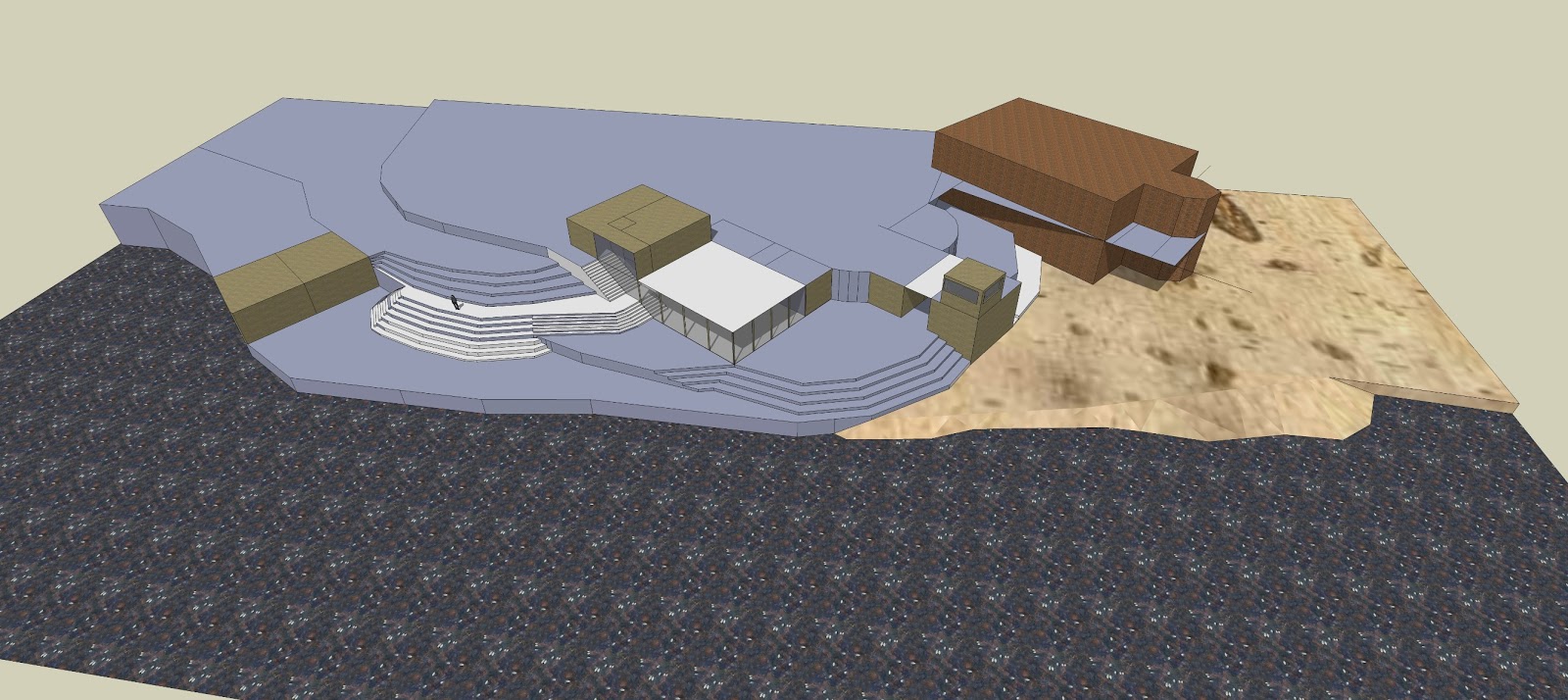
Whilst playing around with my SketchUp model, I went in to Walk mode to get an idea what it would be like to actually be on my site and how you would move around it. It was then I realised that it wasn't as easy to go to the meeting rooms as it should be. It involved going down stairs then back up stairs only to go down stairs again. Or to go a really long way around. To remove this problem, I changed the layout slightly by creating a landing on the main staircase so that it was level with part of the site. I also changed the stairs inside the building to match. 

Before

After

I have started my video and by doing so, I have begun to learn how to use the animation tools on Photoshop. I currently have 7 seconds out of a maximum 2 minutes but it's getting there.